


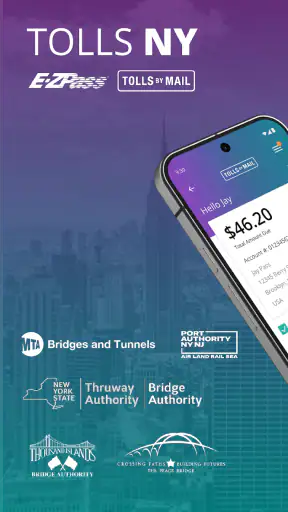
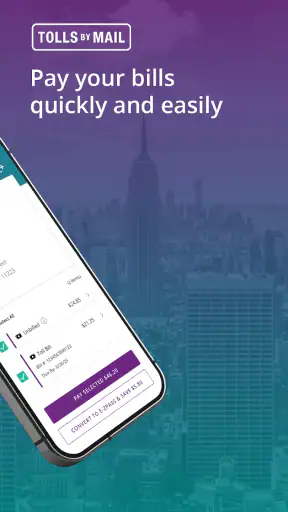
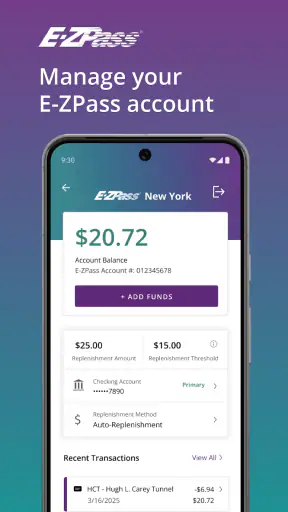
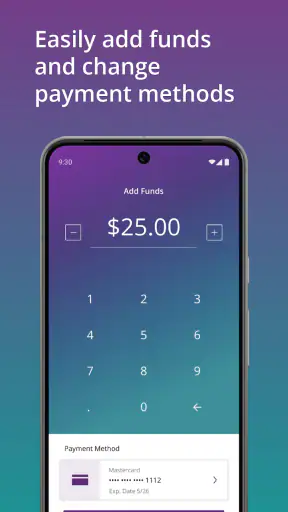
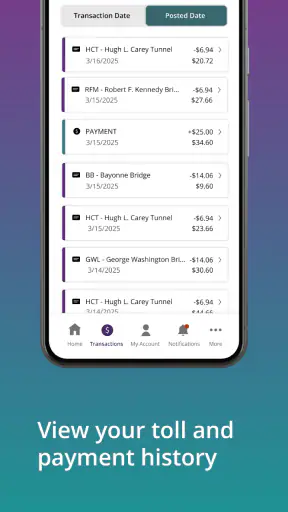
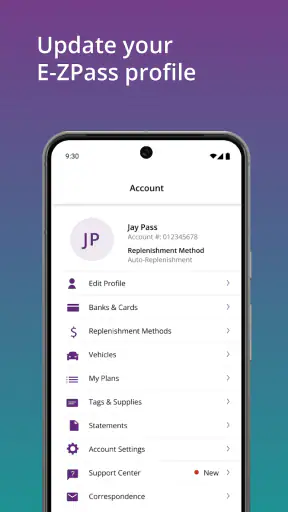
Driving through New York is already demanding enough without wondering whether a toll payment, account check, or vehicle detail will be handled correctly. I found Official E-ZPass NY most useful as a focused travel companion for people who regularly use New York toll roads or occasionally need to deal with Tolls By Mail. It is a free Travel & Local app from Conduent Incorporated, and its purpose is much narrower than a general navigation tool: it brings official E-ZPass NY and Tolls By Mail services into a mobile format.
That narrow focus is also its main appeal. I would not install it expecting route planning, traffic forecasting, or a replacement for a map app. I would install it because toll-related tasks are easier to manage when they are gathered in one official place instead of being handled through scattered browser searches, paper notices, or a separate trip-planning routine. The experience is strongest when I treat it as an account and payment companion, not as something that should actively guide me while I am driving.
The app has built a solid audience, with an average rating of 4.4 from around 14 thousand ratings and more than a million installs. Those numbers suggest that it has become a familiar tool for a substantial group of New York drivers. It is rated for Everyone, and the current version is 3.14.1 for devices running iOS 11 or later. That broad compatibility matters for people who keep an older iPhone in service, although the practical experience will still depend on the phone, connection, and the quality of the surrounding service.
Where the connection changes the experience
Useful when a toll task cannot wait
The most important thing I noticed is that connectivity is not a background detail here. The app deals with account information and toll-related activity, so the moments when it is most valuable are usually the moments when it needs to reach current information. Checking an account before a trip, reviewing a toll notice, or handling a payment is much more reassuring when the app can communicate with the relevant service.
That creates a simple but important habit: I prefer to open it before leaving, while I have a dependable connection and enough time to read what is on screen. I do not want my first attempt to manage a toll issue to happen at a rest stop with weak reception, in a moving car, or immediately before an appointment. The app can reduce friction, but it does not remove the need to plan around the network.
A realistic example is a weekend drive from New York City toward a family visit. Before starting, I can use the app to deal with the toll side of the trip rather than waiting until I am already on the road. If a question appears about an account or a Tolls By Mail notice, I have a better chance of resolving it calmly at home. That is a more meaningful benefit than simply having another icon on my phone: it moves an administrative task out of the stressful part of travel.
Do not confuse it with a navigation app
Official E-ZPass NY is not the right place to build a complete journey. I would use a dedicated navigation app for directions, congestion, lane guidance, and arrival estimates, then use this app for the toll-account side of the trip. Keeping those roles separate is sensible. A navigation app is designed to keep a driver moving; this one is designed to help manage a toll relationship.
That distinction also affects safety. I would never try to read account details or enter payment information while driving. If a toll issue comes to mind on the road, I would wait until I am parked. The app is more useful before and after a journey than during the active driving portion, and that is not a weakness so much as a reminder that administrative tools belong outside the driver’s attention.
Short sessions work better than constant checking
I found the best workflow to be brief and deliberate: open the app, complete one task, confirm the result, and close it. This approach is especially helpful when the connection is inconsistent. Instead of repeatedly refreshing a screen while walking between buildings or sitting in a crowded vehicle, I would wait for a stable moment and then finish the task in one session.
There is a useful trade-off here. A connected app can show more current account information than a static note or saved screenshot, but that same freshness depends on communication with the service. A screenshot may be handy as a personal reference, yet it can become outdated. The app is preferable when I need current information, while a written reminder can still help me remember what to check later.
Mobile situations where it earns its place
The phone format makes the app particularly practical for people who do not want to sit at a computer every time a toll question appears. I can imagine using it after receiving a Tolls By Mail notice, while organizing a rental-car trip, or when preparing a vehicle for a longer drive. These are all situations where a mobile device is already nearby and opening an app feels more natural than finding a desktop.
Rental-car drivers should be especially careful about timing and responsibility. I would use the app to understand and handle my own toll-related task, but I would not assume that every rental arrangement follows the same process. The app is not a substitute for reading the rental company’s terms or checking which vehicle and notice details apply. That is one of the places where personal attention matters more than convenience.
For a regular commuter, the value is cumulative rather than dramatic. A single account check may take only a moment, but having a dedicated official tool can make toll administration less likely to be forgotten. For someone who rarely drives on New York toll roads, the benefit is smaller. That person may find a general browser search sufficient until a specific notice or payment need appears.
What happens when the connection is poor
The most frustrating scenario is trying to complete a time-sensitive task from a place with weak service. A screen may take longer to load, a session may need to be repeated, or I may be left unsure whether an action finished. I would avoid tapping repeatedly in that situation. First I would wait, then check whether the app reflects the completed action, and only afterward try again. Repeating a payment-related action without confirming the result is exactly the kind of rushed behavior that can create confusion.
My recovery routine would be simple. I would move to a stronger connection if possible, close and reopen the app if the session appears stuck, and review the account or notice status before taking another action. If the problem is not clearly a connection issue, I would preserve the relevant notice details and use the official support route associated with the service rather than guessing.
This is also why I would not rely on the app as my only record during a trip. I can keep the important notice or account reference available in a safe, non-distracting way, then use the app when the network is reliable. That is not the same as claiming the app works without a connection; it is simply a sensible backup habit for any service that handles current account information.
Using less data without making the app less useful
Because the app is focused on toll administration rather than maps or media, I would not expect it to be a major source of mobile-data use during ordinary short sessions. Still, data-conscious users can avoid unnecessary loading by opening it only when they have a clear task. Checking one item, confirming the result, and leaving the app is more efficient than repeatedly reopening screens out of habit.
On a limited plan, I would handle account preparation over Wi-Fi before a long drive whenever convenient. That gives me time to resolve questions without spending mobile data in a moving vehicle. I would also avoid treating a weak cellular signal as a reason to keep retrying. Repeated attempts are frustrating and may consume more data without producing a clearer result.
There is a subtle advantage to this approach: it separates preparation from travel. I can use a home connection for the careful work, then keep the phone focused on navigation and communication once the car is moving. The toll app becomes part of my pre-trip checklist instead of another distraction competing for attention on the road.
Who should choose it, and who should skip it
I would recommend Official E-ZPass NY to New York drivers who use toll roads often, need a direct way to manage E-ZPass-related matters, or have received a Tolls By Mail notice and want a mobile option connected to the official service. It is also a reasonable choice for people who prefer handling practical travel administration from a phone rather than a desktop.
I would skip it if I rarely encounter New York tolls and do not need an account or notice workflow. Installing a specialized app for a single occasional question may feel unnecessary when a browser session can handle that need. I would also not choose it as my main travel app, because it does not replace navigation, route comparison, or general trip organization.
Compared with a browser, the app feels more convenient for repeat use because it gives the task a dedicated home on the phone. Compared with a navigation app, it is more specialized and less distracting in its purpose, but far less useful for seeing the whole journey. Compared with paper correspondence, it can be easier to consult while away from home, although paper may still be valuable as a reference when connectivity is uncertain.
My final view on connectivity and convenience
After using it as a toll-management tool, I see Official E-ZPass NY as a practical companion rather than an essential app for every driver. Its strongest quality is focus: it addresses a specific New York travel need and puts that need within reach on a mobile device. The free price removes the main barrier to trying it, and the Everyone rating makes it approachable for a broad audience.
The important limitation is that convenience should not be mistaken for independence from the network. I would prepare important toll tasks while connected, avoid interacting with it while driving, and give myself time to verify that an action completed. Those habits make the experience much smoother than opening it at the last possible moment.
My recommendation is straightforward: if E-ZPass NY or Tolls By Mail is part of your regular driving life, this app deserves a place on your phone. If tolls are only an occasional concern, keep it in reserve rather than expecting it to improve every trip. It is most effective when used calmly, with a clear task and a reliable connection—exactly the kind of small preparation that can prevent a toll issue from becoming the most memorable part of a journey.
For me, that balance makes Official E-ZPass NY worthwhile. It does not try to be a complete travel platform, and it should not. Its value comes from handling one narrow but important responsibility in a way that fits naturally into mobile travel, provided I remember that current account work still depends on being properly connected.


